ChatGPT app
A metronome and click track, right in ChatGPT
Sometimes you know exactly what you need to practice before you've even picked up your instrument. Describe it to ChatGPT and get a working Subdivide metronome or click track right in the conversation—ready to play.
Free to use in ChatGPT on web, desktop, iPhone, and Android. No Subdivide account or sign-in.
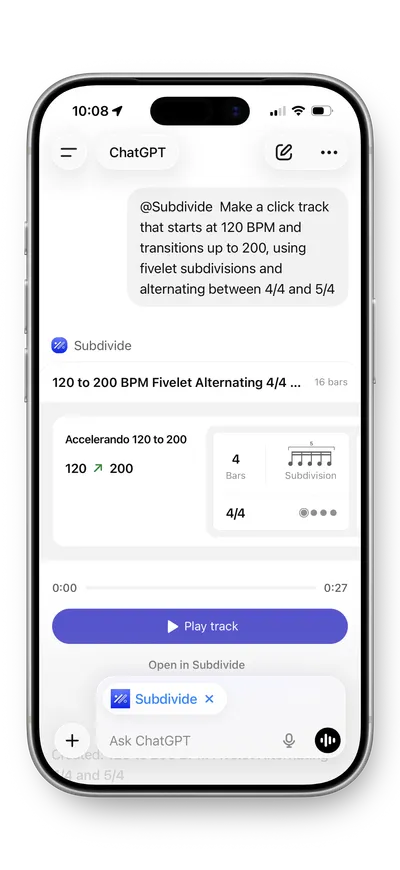
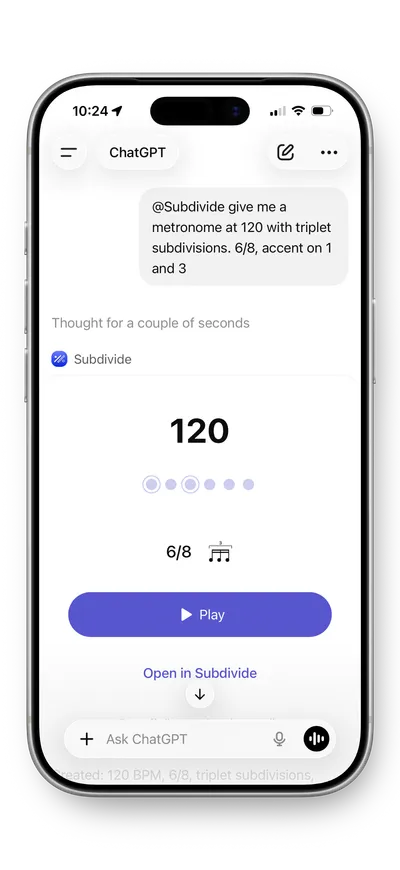
Say it, play it
Type what you'd practice in plain language
Mention @Subdivide in any chat. A few ideas to try:
- 120 BPM with eighth note subdivisions, accent on beat 1.
- Fivelet timing exercise at 80 BPM.
- 7/8 click grouped 2+2+3.
- Warmup ramp from 120 to 180 BPM over 16 bars.
Odd meters, subdivisions, tempo ramps—if you can describe it, Subdivide can build it. And because it's a conversation, you can keep refining: "Make it slower," "Switch to triplets."
A metronome
Any tempo from 10 to 400 BPM, any time signature, subdivisions from eighths to septuplets, and accented or muted beats. It plays until you stop it.
A click track
Multiple sections, each with its own tempo, time signature, and subdivision, plus accelerandos and ritardandos between them. Press play and it runs start to finish, with every change done for you.
Where it shines
Built for speed and exploration
-
Teaching
Plan the week's exercises in one chat: describe each one, hear it, and send it to your students.
-
Warmups
Describe what you need on the fly to warm up.
-
Exploring
Curious what a quintuplet feel sounds like at 90 BPM? Ask and hear it in seconds.
-
Rehearsal prep
Generate click tracks for tricky passages on the fly.
Two tools, one workflow
Keep it in the Subdivide iOS app
When you land on something worth keeping, tap Open in Subdivide to save, edit, and share it with your ensemble. The iOS app is where you have full control of track playback with start and stop points, count offs, repeats, and a speed slider—plus the whole rehearsal toolkit, including a tuner and audio cues.
Subdivide can also build a click track from a scan of your sheet music.
Describe it, then practice it
Subdivide in ChatGPT is free. The iOS app's metronome is free too; tracks, sharing, and audio cues are part of Subdivide Pro. Try Pro free for a week, then $4.99/month or $29.99/year, cancel anytime—or buy it once for $44.99.
