Audio Cues
Slow down, loop, and count off into any recording
Every musician knows the struggle: rewind, guess the measure, miss the entrance, try again. Import the recording you practice with, drop cues where you start and stop, and jump straight to the passage you need—with a count off to enter cleanly every time.

For iPhone and iPad. Audio Cues are part of Subdivide Pro.
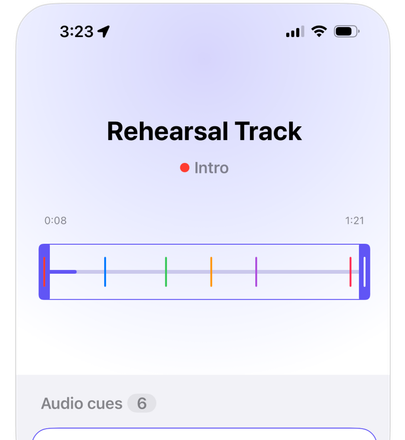
Cue points
Mark the moments
Drop cues as you listen—no complicated editing required. Name each one and give it a color, then tap a cue to jump straight to it without endless scrolling.
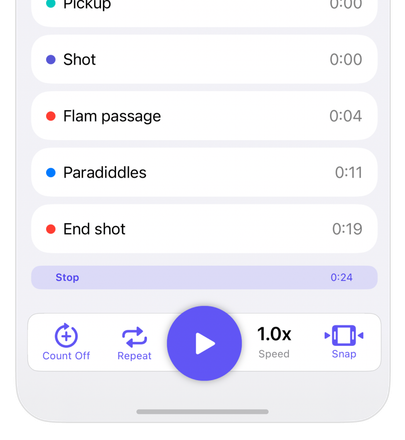
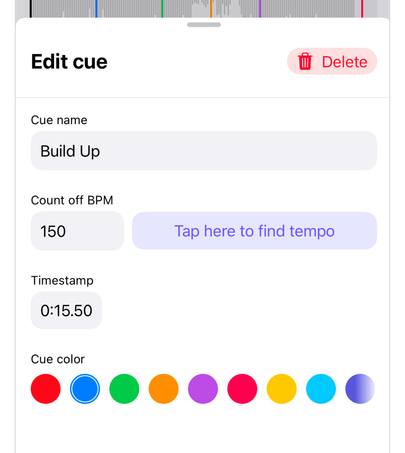
Count off
Count off into the recording
Each cue has its own count off tempo, so the met counts you in on the beat before the recording starts. Don't know the tempo? Tap along to find it. Turn on a count off for every repeat and every rep starts together.
Loop the tough passage
Set start and end points to isolate the passage, snap them to your cues, and loop problem spots until they're clean.
Slow it down without changing the pitch
Play the recording anywhere from quarter speed to double speed. Learn it slow, then bring it back up to tempo.
Built for real rehearsals
For educators, students, and advanced players
-
Any audio file
Import MP3, WAV, AIFF, M4A, AAC, or FLAC from the Files app—show recordings, backing tracks, or reference performances.
-
Instant recall
Cues are saved with the track, ready the next time you open it.
-
Control from the Lock Screen
Play and pause from the Lock Screen and Control Center while you practice.
-
Share with cues marked
Send the audio with the cues already in place, so everyone works from the same reference.
Running color guard or visual rehearsals to the show recording? Drop a cue at every set change and count off into each rep.
Subdivide for the marching artsStop scrubbing, start rehearsing
Audio Cues are part of Subdivide Pro for iPhone and iPad. Try Pro free for a week, then $4.99/month or $29.99/year, cancel anytime—or buy it once for $44.99.